📘 Mock Test Instructions
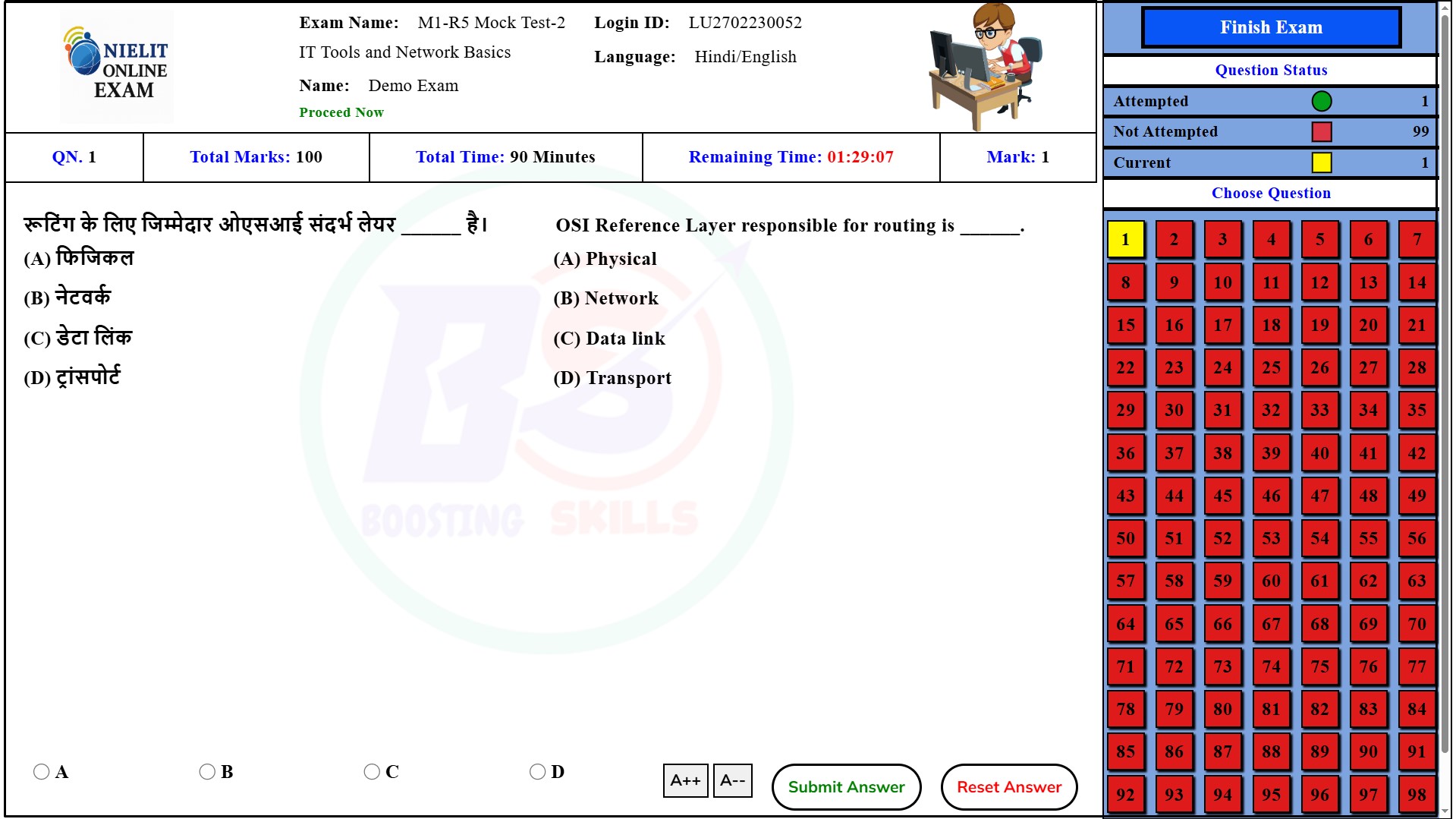
📌 निर्देश (Hindi)
- Boosting Skills Mock Test पर आपका स्वागत है।
- Test शुरू करने से पहले Registration पूर्ण करें।
- Registration के बाद Email ID और Password से Login करें।
- Login के बाद CCC और O Level Mock Tests Dashboard पर दिखेंगे।
- Start Test button पर click करें।
- Mobile पर Screen Rotation On करके Landscape Mode में करें।
- Desktop/Laptop पर Test सीधे शुरू होगा।
- बाईं ओर Questions और दाईं ओर Question Numbers दिखेंगे।
- कोई Negative Marking नहीं है।
- Total time 1.5 Hours। हर Question पर 10 Seconds का Timer।
- Proceed Now दिखने पर Submit Answer click करें।
- A++ / A-- से font size बदलें।
- सभी questions attempt करने के बाद Finish Exam click करें।
- Result और Question-wise Summary दिखाई देगी।
📌 Instructions (English)
- Welcome to Boosting Skills Mock Test platform.
- Complete Registration before starting the Test.
- Login using your Registered Email ID and Password.
- CCC and O Level Mock Tests will be available on your Dashboard.
- Click Start Test button.
- On Mobile, enable Auto-Rotation and switch to Landscape Mode.
- On Desktop/Laptop, the test starts directly.
- Questions on left, Question Numbers on right.
- No Negative Marking in any Mock Test.
- Total time: 1.5 Hours. Each Question has a 10-Second Timer.
- When Proceed Now appears, click Submit Answer.
- Adjust font size using A++ / A--.
- After all questions, click Finish Exam.
- Your Result and Question-wise Analysis will be shown.
NIELIT O Level Online Mock Test in Hindi – Free Practice
CCC और O Level — Real Exam Interface | Timer | Bilingual Hindi + English | Free
24+Mock Tests
Freeकोई Charge नहीं
1.5 HrExam Duration
100Questions/Test
O LEVEL Online Mock Test — Boosting Skills
NIELIT O Level course की तैयारी के लिए 24+ free online mock tests — M1-R5, M2-R5, M3-R5, M4-R5 सभी modules। Real exam interface, bilingual questions और instant result।
O Level exam चार modules में होता है — M1-R5 (IT Tools & Networking), M2-R5 (Web Designing), M3-R5 (Python Programming), और M4-R5 (IoT Applications)। हर module अलग से पास करना होता है, और हर mock test असली NIELIT exam pattern पर आधारित है ताकि आपको exam hall जैसा ही अनुभव मिले। नियमित practice से speed और accuracy दोनों बेहतर होती हैं।
✅ 100% Free
✅ Hindi + English
✅ Real Exam Pattern
✅ Instant Result
✅ No Fee
Leaderboard
O LEVEL — Top Performers
| Rank | Student | Module/Set | Correct | Score | Grade | Date |
|---|---|---|---|---|---|---|
| Loading… | ||||||
Loading…
* केवल वैध attempts दिखाए जाते हैं। Mock Test दें और leaderboard पर आएं! 🏆